A Bitget futures TP/SL can show as triggered without closing the position because triggering and execution are separate stages. The trigger first creates a real limit or market order; that order can then remain unfilled, fill only partly, or fail validation because of price limits, order-size limits, fast price movement, or insufficient liquidity. If the chart touched your level but no trigger appeared, first confirm whether the instruction used last price, mark price, or index price.
Last reviewed: August 25, 2026. This guide explains Bitget’s published rules and adds an independent troubleshooting workflow; it is not financial advice or an execution guarantee.
Quick diagnosis: identify which stage failed

| What you see | Most likely stage | Check first |
|---|---|---|
| The chart touched the level, but TP/SL still says pending | Trigger condition was not met | Selected trigger source: last, mark, or index price |
| TP/SL says triggered, but the position remains open | The generated order did not fill | Order history, limit price, market depth, and partial-fill status |
| The generated order was rejected or canceled | Order validation failed | Price-limit range, maximum order size, quantity, and current position size |
| Only part of the position closed | Partial execution | Filled quantity, remaining quantity, available liquidity, and any other close orders |
How Bitget TP/SL works: trigger first, execution second
Bitget’s official troubleshooting article describes TP/SL as a two-stage conditional order:
- Trigger stage: the selected reference price reaches the condition and activates the instruction.
- Order stage: Bitget submits the preset limit or market order to the matching engine and waits for execution.
That distinction explains the most confusing case. “Triggered” confirms that the condition activated; it does not confirm that the resulting order filled. Check both the TP/SL or trigger-order history and the regular order or trade history before assuming the position was closed.
1. Last price, mark price, and index price may not match
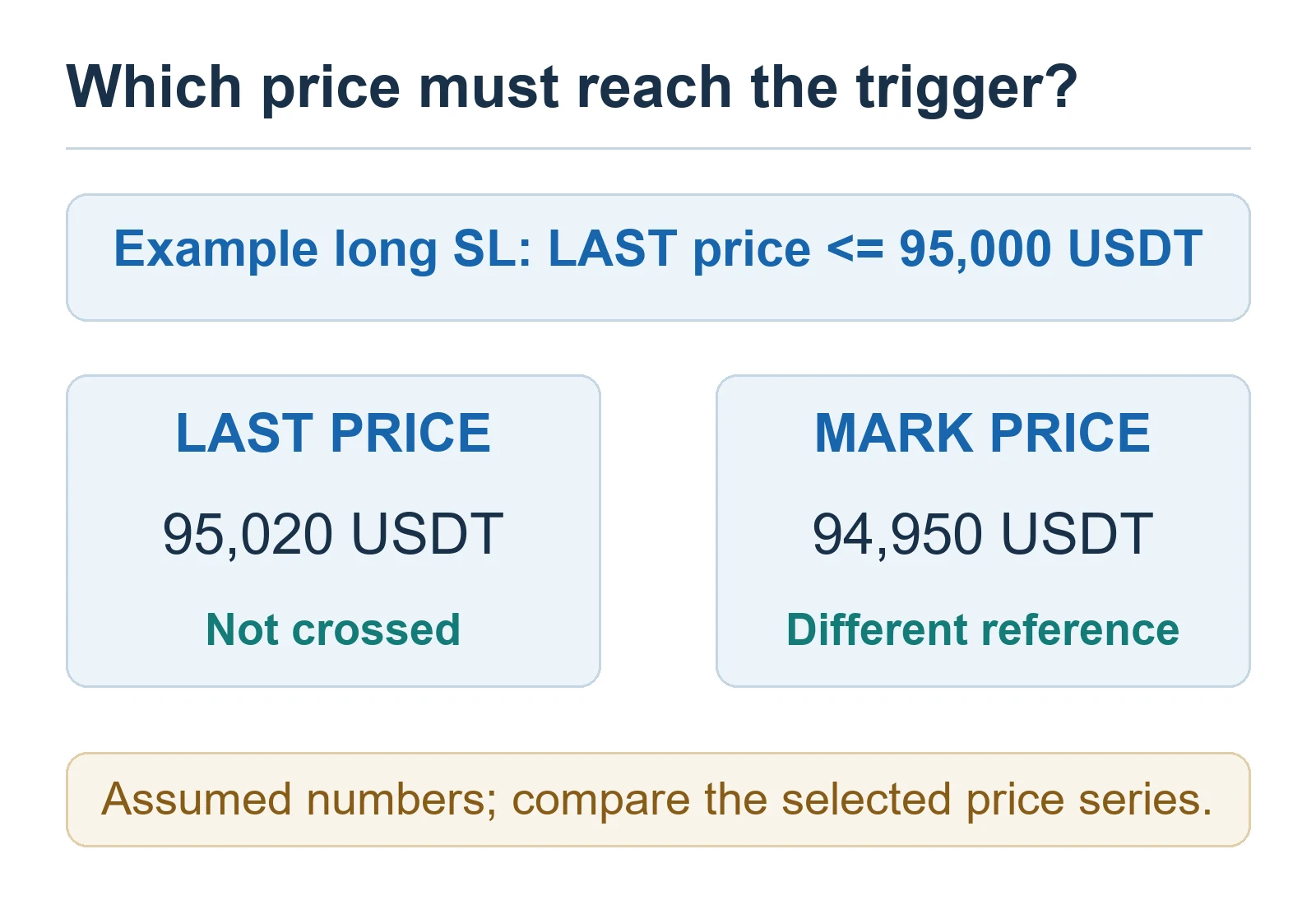
Bitget supports different TP/SL trigger sources. They can diverge during volatility, so a candle visible on one chart is not proof that the selected source crossed your condition.
| Price type | What it represents | Why it matters for TP/SL |
|---|---|---|
| Last price | The most recent futures trade | Responds directly to executions but can move faster than the mark price |
| Mark price | A fair-price reference derived from index data and funding inputs | Used for unrealized PnL and liquidation calculations; may not equal the latest trade |
| Index price | A weighted spot-market reference | Can lag a rapid move in the futures order book |
Example: suppose a long position has a stop-loss trigger at 95,000 USDT using last price. If mark price falls to 94,950 while the last traded price remains 95,020, the last-price condition has not yet been met. Conversely, a mark-price trigger can activate even when the latest trade shown on a last-price chart looks slightly different.
2. A triggered limit order can remain unfilled
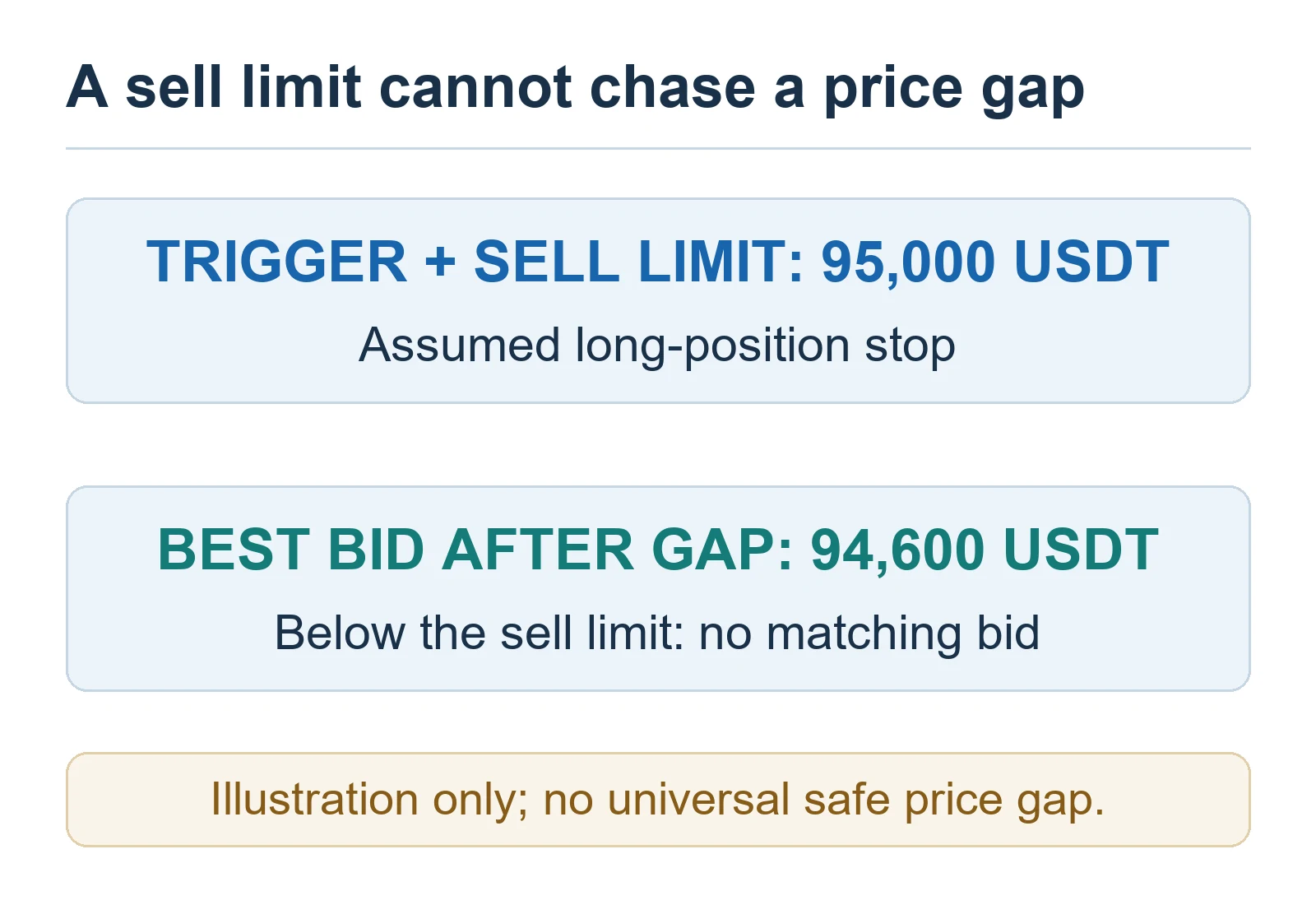
After a limit-type TP/SL triggers, the generated order only fills at its limit price or a better price. If the market gaps through that price, there may be no matching liquidity where the order can execute.
Example: a stop for a long position triggers at 95,000 USDT and submits a sell limit at 95,000. If the best bids immediately move to 94,600, that sell limit cannot chase the market lower. It can remain open while the position stays exposed. A more marketable limit price may improve fill probability, but there is no universal safe gap: contract liquidity, volatility, position size, and the exchange’s allowed price range all matter.
3. A market-type TP/SL prioritizes execution, not a fixed price
A market-type TP/SL sends an order intended to trade at the best available prices after activation. It usually has a higher chance of executing quickly than a restrictive limit order, but the trade can suffer slippage. Bitget also notes that even market orders may not fill completely when available depth is insufficient.
The choice is therefore a trade-off: a limit order controls the worst acceptable price but may not fill, while a market order prioritizes closing but cannot promise the final execution price. Large positions and thin contracts make this trade-off more important.
4. Price limits or maximum order size can block the generated order
Bitget’s official guidance lists two validation causes: the generated order price can fall outside the platform’s permitted price range, or the quantity can exceed the contract’s maximum futures order size. These limits vary by contract and can change, so use the current futures parameters shown by Bitget rather than copying a number from an older guide.
- Open the TP/SL history and note the exact rejection or cancellation message.
- Compare the submitted order price with the contract’s current price limits.
- Compare the quantity with the current maximum order size and your remaining position.
- For a large position, check whether splitting the close instruction is allowed and appropriate for your risk plan.
5. Position size, side, and position mode may have changed

TP/SL is a closing instruction. Before replacing it, confirm that the original long or short position still exists at the expected size. A manual close, partial fill, liquidation, another reduce-only instruction, or a second TP/SL can change the quantity available to close.
In Hedge Mode, verify that the TP/SL belongs to the intended long or short leg. In One-Way Mode, verify that a later trade did not reduce, close, or reverse the net position. BitQED’s Bitget Hedge Mode vs One-Way Mode guide explains the side and reduce-only differences in detail.
6. Fast markets can cause partial fills, slippage, or stale assumptions
During a sharp move, market depth can disappear between the moment a condition is detected and the moment the generated order reaches the matching engine. A limit order may sit unfilled; a market order may fill across several price levels; a large order may fill only partly. The trigger level is therefore not the same as the average execution price.
Do not submit several replacement closes before checking the open-order, trade, and position tabs. Duplicate instructions can create a new operational risk if the first order fills while you are placing another.
Safe troubleshooting checklist
- Confirm the position: record the contract, long or short side, position mode, and remaining size.
- Open TP/SL history: distinguish pending, triggered, canceled, rejected, partially filled, and fully filled states.
- Check the trigger source: compare the configured last, mark, or index price with that source’s actual high or low—not a different chart series.
- Inspect the generated order: identify whether it was limit or market and read the submitted price and quantity.
- Check execution constraints: review market depth, price-limit range, maximum order size, and the unfilled remainder.
- Check competing close instructions: review other TP/SL, trigger, reduce-only, and manual close orders for the same position.
- Act from confirmed state: cancel or replace only after you know what is still open. If the interface and history disagree, capture the order ID and contact Bitget Support.
For the wider workflow around leverage, margin, liquidation, and order placement, see the Bitget futures trading guide. TP/SL reduces monitoring burden but cannot remove execution, slippage, liquidity, leverage, liquidation, counterparty, custody, or regulatory risk.
When to contact Bitget Support
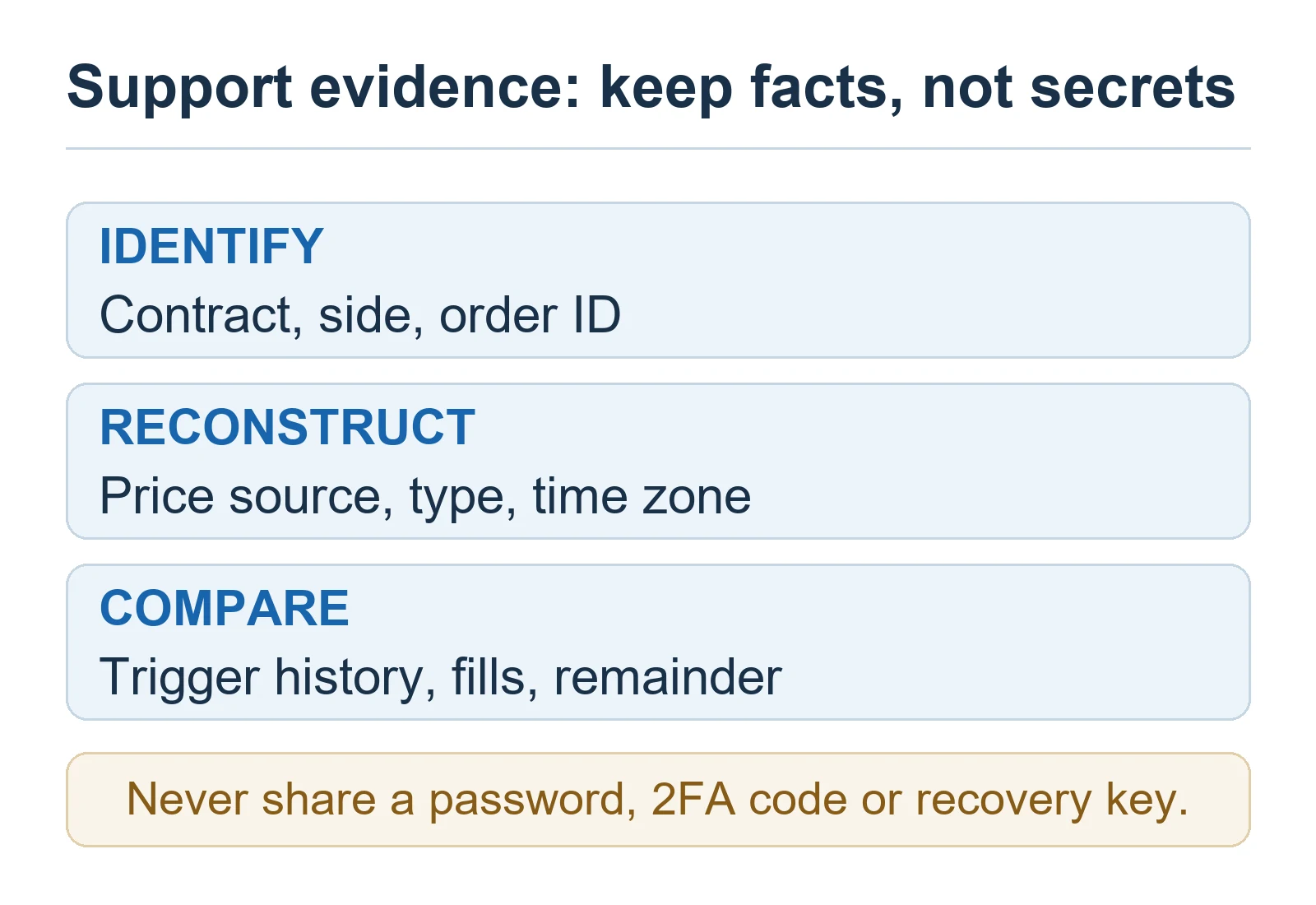
Escalate the case when the recorded trigger source clearly crossed the configured condition, the history shows no usable explanation, or the displayed position and order records conflict. Provide the contract, order ID, position side and mode, configured trigger source, trigger price, order type, timestamps with time zone, and screenshots of TP/SL history and trade history. Never share your password, two-factor authentication code, or withdrawal credentials.
Frequently asked questions
Does “triggered” mean my Bitget position is closed?
No. It means the TP/SL condition activated and Bitget attempted to place the preset order. The position closes only to the extent that the generated order actually fills.
Why did the chart touch my stop but Bitget did not trigger it?
The chart and the TP/SL may be using different price sources. Compare the selected last, mark, or index price with the same source’s recorded movement. Also confirm the side and condition direction.
Is a market TP/SL guaranteed to fill?
No. A market order prioritizes execution at available prices, but the fill price can slip and insufficient liquidity can still produce a partial fill. Check the remaining position after execution.
Should I set the limit price equal to the trigger price?
Not automatically. In a fast market, an identical or restrictive limit can become unmarketable immediately after the trigger. Any gap must fit the contract’s price rules, liquidity, position size, and your maximum acceptable execution price.
Why Can’t I Open a Bitget Futures Position? Order-Rejection Checks & Fixes (2026)
Official Bitget sources
- Why Is My TP/SL Order Triggered but Not Executed in Bitget Futures?
- Introduction to Take Profit and Stop Loss in Futures Trading
- Introduction to Futures Order Types
Editorial disclosure: BitQED is an independent publisher and is not Bitget. Some BitQED pages may contain affiliate links, but the troubleshooting steps above are based on the cited official documentation and independent analysis. Product rules can change; verify current settings and contract parameters in your own Bitget account before acting.