Bitget’s Unified Trading Account (UTA) combines supported spot, margin and futures products in one account so eligible assets can share a margin framework without repeated transfers between separate trading accounts. It can make capital management simpler, but it can also connect risks that were separated in a Classic account: losses, liabilities, funding costs and collateral-ratio changes can reduce the equity available to other cross-margin positions.
This guide explains Classic versus UTA, Bitget’s three current UTA account modes, the Advanced-mode delta-neutral toggle, upgrade checks, collateral ratios and the risks to review before switching. Last verified: August 29, 2026. Product access, supported collateral, account modes and migration rules can vary by account, region and date, so the logged-in upgrade screen is the final operational check.
Bitget UTA in 60 seconds
| Question | Practical answer |
|---|---|
| What does UTA change? | It consolidates supported spot, margin and futures assets into a unified account and risk framework. |
| Is UTA the same as cross margin? | No. UTA is the account structure. Its isolated, basic and advanced modes use different product and margin rules. Since August 28, delta-neutral is a gated feature toggle under Advanced mode, not a fourth standalone mode. |
| Is UTA available to ordinary users? | Bitget announced on June 16, 2026 that the asset requirement was removed and UTA was opened to all users. The live account and regional eligibility check still controls access. |
| Do all assets count at full value? | No. In modes that support multi-asset collateral, each eligible coin is valued using its current collateral ratio. A coin with a 0% ratio does not add to adjusted equity. |
| Is shared margin automatically safer? | No. It can support one position with broader account equity, but it also allows a loss or liability in one product to consume margin used elsewhere. |
| Can I upgrade with open activity? | Certain orders or liabilities must be cleared. Where migration is offered, eligible cross-margin and isolated-margin futures positions may transfer. Follow the account’s live checklist. |
| Can I switch back? | An eligible main account can return after clearing orders, positions and liabilities. An upgraded sub-account cannot return to Classic under Bitget’s current help page. |
If you are still setting up the account, complete the Bitget registration, KYC and security checklist first. Account creation and a later UTA upgrade are separate decisions.
Classic account vs Unified Trading Account
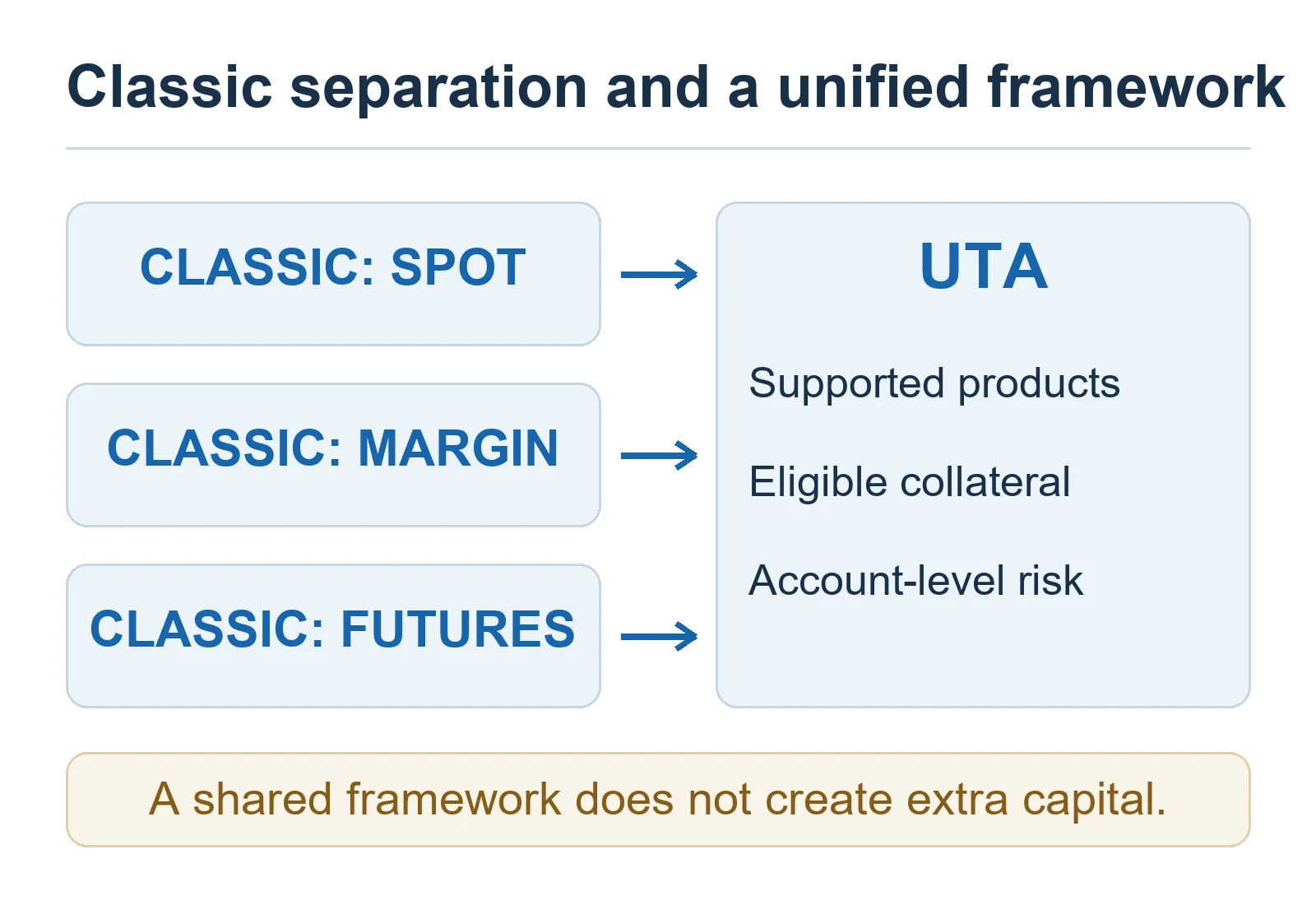
A Classic account separates balances by product. A trader may hold assets in Spot but still need to transfer the required settlement asset into a Futures or Margin account before opening a position. This separation is easier to understand and can help contain operational mistakes, but it can leave capital idle across several accounts.
UTA places supported products inside one framework. Depending on the selected mode, eligible assets can contribute to adjusted equity, profit and loss can be offset across supported products, and transfers between product accounts may no longer be required. The trade-off is that risk must be managed at both the position level and the unified-account level.
| Area | Classic account | Unified Trading Account |
|---|---|---|
| Asset organization | Separate spot, margin and futures balances | Supported products use one unified account framework |
| Transfers | Often required between product accounts | Generally unnecessary between supported products |
| Settlement assets | Product-specific assets are normally required | Eligible assets may contribute USD-equivalent collateral value in supported modes |
| Margin sharing | Risk is separated by account and product structure | Cross-margin modes can share eligible adjusted equity across supported positions |
| Borrowing | Margin borrowing and repayment may require separate actions | Supported UTA modes can use auto-borrow and auto-repay rules |
| Main risk view | Several account balances and position indicators | Unified equity, adjusted equity, liabilities and an overall risk indicator |
| Best fit | Users who value simple separation or use one product at a time | Users who understand collateral haircuts and actively manage several supported products |
UTA is not inherently better for every user. A beginner who only trades spot may gain little from advanced collateral or shared margin. A multi-product trader may reduce transfers and idle balances, but only if the account-level exposure is monitored carefully.
The three Bitget UTA modes and delta-neutral toggle
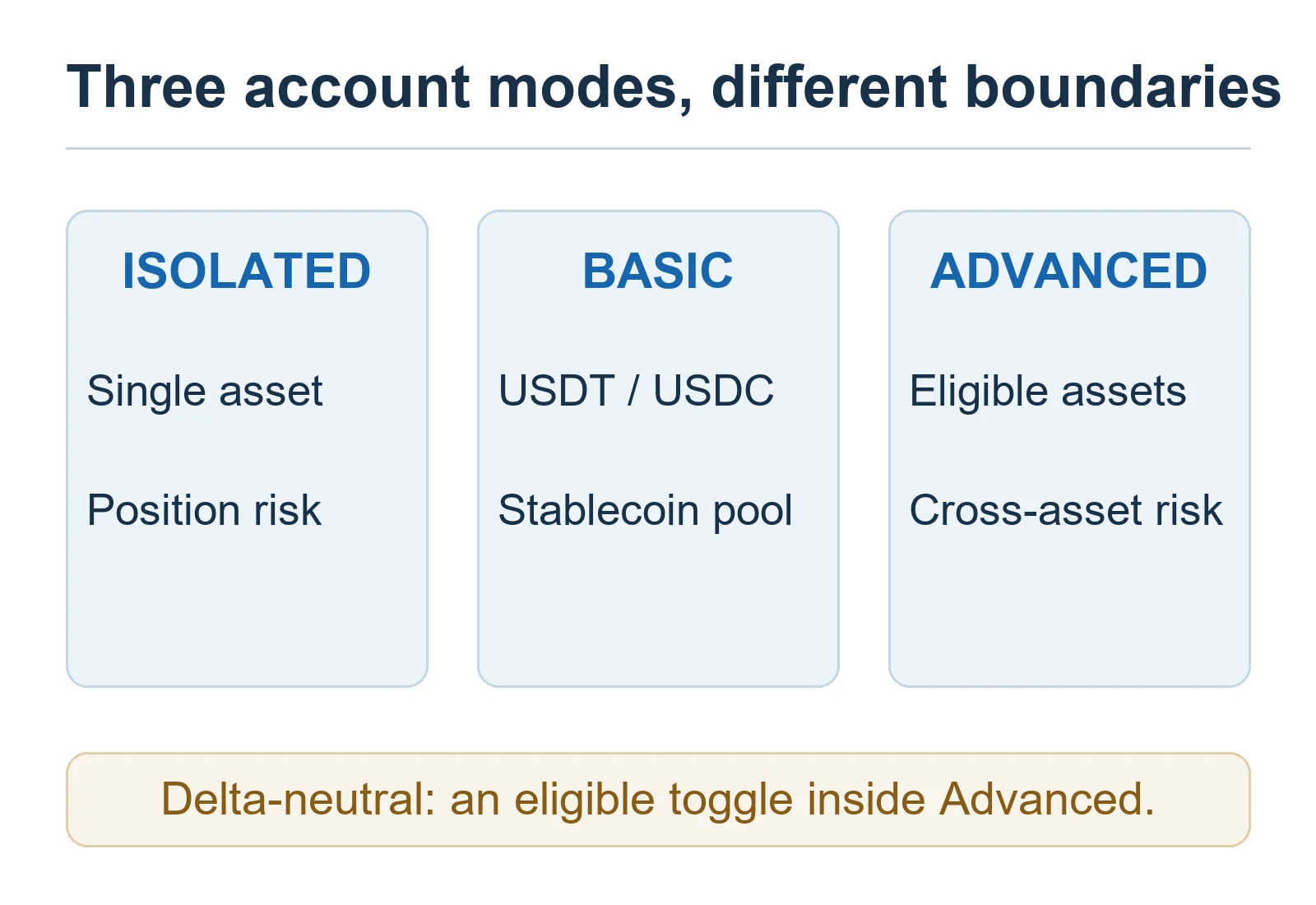
Bitget currently presents isolated margin, basic and advanced as the three selectable UTA account modes. On August 28, 2026, Bitget removed delta-neutral as a standalone choice and moved it to an identity-gated toggle inside Advanced mode. Older help pages that still display four modes are therefore superseded on this point. Each label describes a risk framework—not a guaranteed strategy or return.
| UTA mode | What it supports | Collateral and risk boundary | Who should consider it? |
|---|---|---|---|
| Isolated margin | Spot plus isolated USDT-M, USDC-M and Coin-M futures under the published guide | Each futures position’s risk is isolated; collateral settings are not supported | Users prioritizing position-level separation |
| Basic | Spot plus USDT-M and USDC-M futures in supported cross or isolated configurations | USDT and USDC are the margin assets; the stablecoin futures products share a margin pool; collateral settings are not supported | Users who want a unified stablecoin workflow without multi-asset collateral |
| Advanced | Spot, spot margin and USDT-M, USDC-M and Coin-M futures in supported configurations | Eligible assets can count as collateral after applying their ratios; custom collateral settings are supported | Experienced multi-product users who actively monitor adjusted equity and liabilities |
Do not choose a mode from its name alone. Open Bitget’s current mode table and confirm the exact products, collateral controls and position types available to the account. A feature may be restricted by market, app version, account type or jurisdiction.
Delta-neutral is now a feature inside Advanced mode
Bitget’s August 28 update makes the delta-neutral entry visible in Advanced-mode trading settings without a separate whitelist application, but enabling it still requires the account to pass Bitget’s identity-based eligibility check. The notice lists examples such as VIP3 or above, Pro, market maker or institutional-lending status; demo trading is exempt from that identity restriction.
The toggle is designed for qualifying funding-rate, basis and other hedged strategies. It can lower eligible hedged positions in the ADL queue when the current asset-level test is met, but it does not guarantee protection from auto-deleveraging or liquidation. Isolated-margin positions can coexist with the toggle after the update, but they do not receive delta-neutral calculations or ADL treatment. When the toggle is enabled, collateral remains fixed to all supported currencies rather than a custom list.
How collateral ratios change usable equity
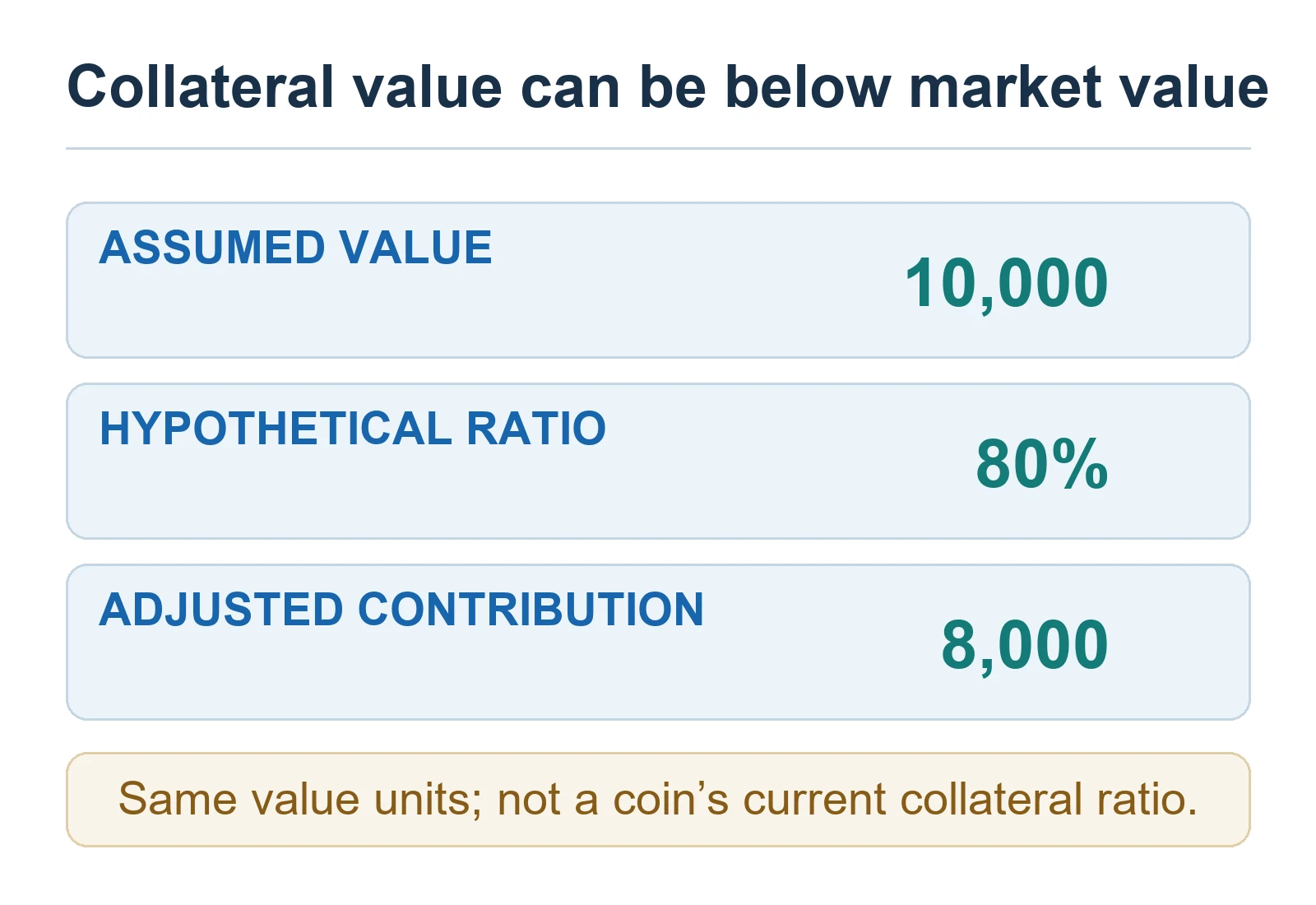
In Advanced mode, supported assets are not automatically counted at 100% of their market value. Bitget assigns each eligible asset a collateral ratio based on factors such as liquidity and volatility. The platform uses this haircut when calculating adjusted equity for margin and risk controls.
A simplified illustration:
- Market value of an eligible asset: 10,000 USDT equivalent
- Hypothetical collateral ratio: 80%
- Contribution to adjusted equity: 8,000 USDT
The 80% figure is an example, not a current ratio for any named coin. Live ratios differ by asset and can change. If an asset’s ratio falls, adjusted equity may decline even when the number of coins in the account has not changed. An asset with a 0% ratio can remain in the account for spot use but does not support cross-margin adjusted equity.
Advanced mode allows eligible assets to be included or excluded from collateral settings, subject to the live account conditions. Bitget may prevent a coin from being disabled when it is supporting positions, orders, borrowing, negative balances or required margin.
Why UTA can increase risk as well as efficiency
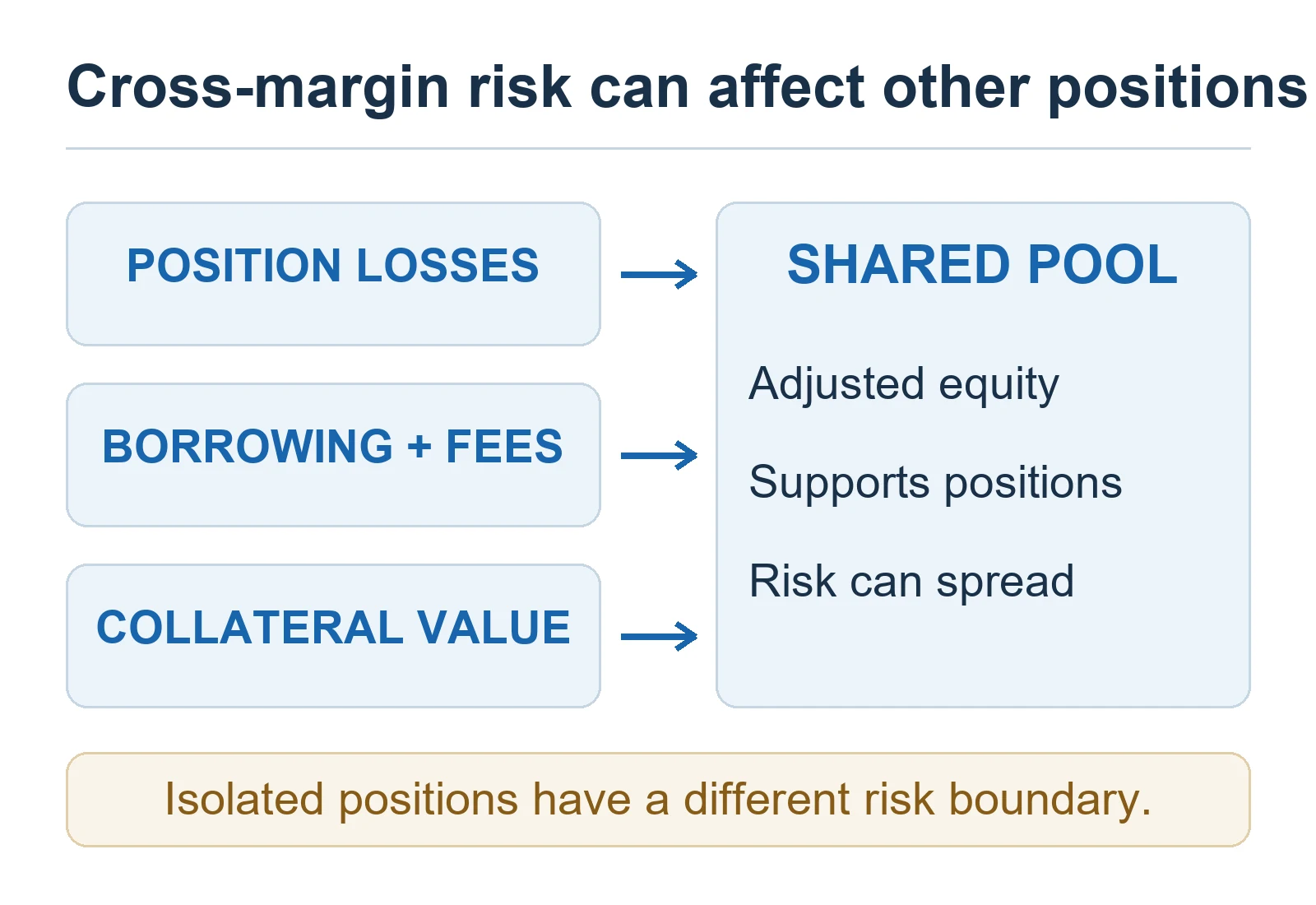
- Shared-loss risk: In a cross-margin structure, losses from one supported position can reduce equity available to others.
- Collateral-price risk: A volatile collateral asset can lose market value while its collateral ratio also changes, reducing adjusted equity.
- Liability risk: Auto-borrow can create a coin liability when a balance is insufficient for a trade, fee, funding cost or loss. Borrowing adds interest and repayment obligations.
- Product-correlation risk: Positions that appear diversified can move together during market stress. Shared margin does not make correlated exposure disappear.
- Liquidation-scope risk: A unified cross-margin risk indicator can expose more account equity than an isolated position would.
- Operational risk: Switching modes or collateral settings without reviewing open orders and liabilities can change buying power or make an order fail.
- Rule-change risk: Bitget can change collateral ratios, position tiers, supported assets and product access. A screenshot or old table is not a permanent rule.
If a UTA futures order is rejected, check the account mode, adjusted equity, available margin, collateral ratio, liabilities and the pair’s order limits. The Bitget futures position order-rejection checklist separates these checks from liquidation or post-trade problems.
For position sizing, stop-loss design and cross-versus-isolated risk controls, use the Bitget risk-management guide. Shared margin can delay one position’s liquidation in some conditions, but it does not remove market, slippage, gap or liquidation risk.
Bitget UTA upgrade checklist
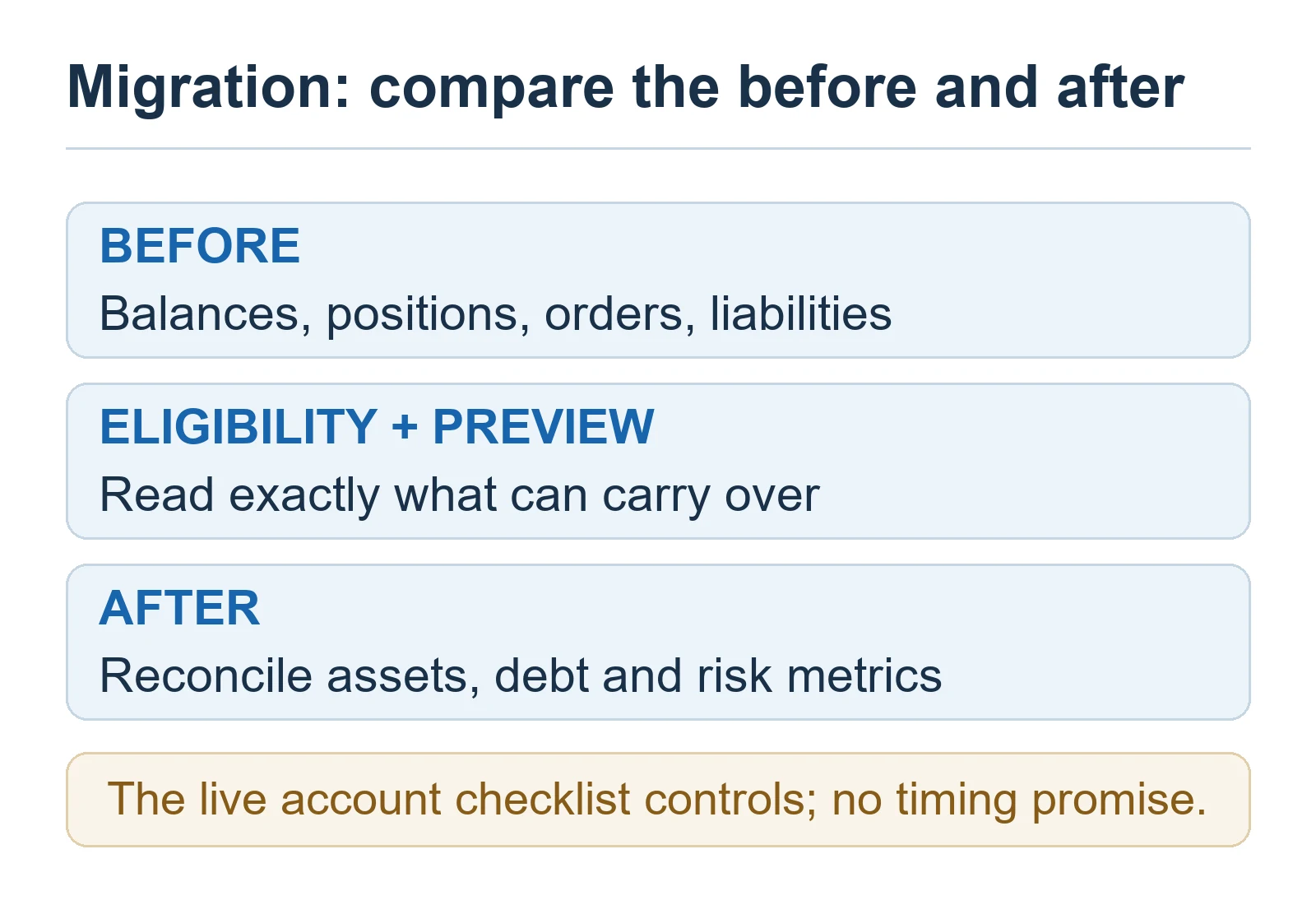
Bitget’s standard upgrade guide directs users to Assets > Upgrade to Unified Trading Account on the app or website. It says the system transfers eligible spot, margin and futures assets and that trading and fund transfers are temporarily unavailable during the migration, which normally takes about one minute.
Migration conditions checked on October 26, 2026: Bitget’s July 29 guide currently includes eligible USDT/USDC-M futures and Coin-M perpetuals in cross or isolated margin, with phased availability and account checks. Coin-M delivery, voucher-opened and margin-trading positions are excluded. Bitget says original average entry price and unrealized PnL carry over, rather than resetting entry to mark price. Exception: multiple same-direction Coin-M cross positions may merge at a weighted average with the highest original leverage. Use the account’s live eligibility and settlement preview rather than assuming either path applies universally.
- Check whether the UTA upgrade control is available to the logged-in account and region.
- Record current balances, positions, entry prices, unrealized PnL, open orders, liabilities and collateral settings.
- Read the live migration list to see what must be closed, cancelled or repaid and what can be transferred automatically.
- Confirm whether any voucher, bot, copy-trading, API or other feature will change after migration.
- Choose the account mode from its current product and risk rules—not from the highest advertised capital efficiency.
- During the migration window, do not expect trading or internal transfers to remain available.
- After completion, reconcile balances, liabilities, positions, orders, collateral settings and the account risk indicator before placing a new order.
Do not initiate the upgrade immediately before a funding settlement, planned order, withdrawal deadline or volatile market event. If funds are being moved on-chain before or after the change, verify the network and destination with the Bitget deposit and withdrawal checklist.
How to switch UTA account modes safely
Bitget’s current guide allows mode switching from the trading settings on the app or website. Before a switch, the interface may require positions to be closed, pending orders cancelled, liabilities repaid or collateral adjusted. Advanced is the current mode with custom collateral settings; enabling its delta-neutral toggle changes collateral and hedge-treatment rules without creating a fourth account mode.
- Take a before-state record of equity, adjusted equity, liabilities, margin usage and open positions.
- Read every blocked-condition message instead of repeatedly submitting the switch.
- Check whether an asset will stop contributing collateral in the destination mode.
- Recalculate position risk after the switch; do not reuse an old available-margin number.
- Verify bots and API integrations against the UTA interface and current API version before relying on automation. UTA API keys use UTA API V3 and cannot simply call Classic-account endpoints.
Who should stay with Classic and who should consider UTA?
| User situation | More suitable starting point | Why |
|---|---|---|
| Spot-only beginner | Classic or the simplest UTA mode | Multi-asset collateral and shared liabilities may add complexity without a clear benefit. |
| User who wants each futures position ring-fenced | Isolated margin mode | Position-level separation makes the risk boundary easier to see. |
| USDT/USDC futures user who wants a shared stablecoin pool | Basic mode | It unifies supported stablecoin margin without enabling broad multi-asset collateral. |
| Experienced spot, margin and futures user | Advanced mode after collateral review | It offers the broadest current product and custom-collateral framework but also the widest shared-risk surface. |
| Experienced hedging or arbitrage user | Advanced mode plus the delta-neutral toggle, if eligible | It is designed for qualifying cross-product hedges, but identity eligibility, basis, borrow, execution and ADL risks remain. |
| User who cannot explain adjusted equity or collateral ratios | Delay the upgrade | Understanding the unified risk calculation is more important than saving a transfer step. |
Frequently asked questions
Is Bitget UTA a separate exchange account?
No. It is an account structure inside Bitget that consolidates supported trading products and eligible assets under a unified framework.
Does every asset become margin after upgrading?
No. Margin treatment depends on the UTA mode, whether the asset is supported and enabled as collateral, and its current collateral ratio. A 0% ratio contributes nothing to adjusted equity.
Does UTA prevent liquidation?
No. Shared eligible equity can support cross-margin positions, but losses, liabilities, collateral haircuts and market moves can still trigger partial or full liquidation under the applicable rules.
What is adjusted equity?
It is the USD-equivalent value of eligible assets after Bitget applies each asset’s collateral ratio. It can be lower than the account’s headline market value.
Can I upgrade without closing futures positions?
Sometimes, not universally. The current migration guide includes eligible cross and isolated futures positions when available. The live upgrade screen determines required order, liability and position checks.
Can I return to a Classic account?
An eligible main account can currently switch back after closing every position and order and repaying all debts or liabilities; Bitget says the process moves UTA funds to Spot and normally takes about one minute. An upgraded sub-account cannot switch back to Classic. Read the exact confirmation notice before upgrading because account features and conditions can change.
Is UTA related to KCGI’s UEX Arena?
No. UTA means Unified Trading Account, an account and margin structure. UEX Arena is a separate Bitget competition label.
Official Bitget sources
- Unified trading account now open to all—June 16, 2026
- Differences Between Unified Trading Account and Classic Account
- How to Upgrade to Unified Trading Account
- How to Carry Over Futures Positions During a UTA Upgrade
- How to Switch Account Modes in Your Unified Trading Account
- August 28, 2026 delta-neutral feature update
- Collateral Ratios and Margin Calculations in UTA
- How to Manage Collateral Settings in UTA
- Live UTA collateral-ratio table
- How to Switch Back to Classic Account
- Current official UTA upgrade and migration guide
Editorial and risk disclosure
BitQED is an independent educational site and is not Bitget customer support. This guide explains Bitget’s published account framework and practical risk checks; it does not control eligibility, collateral ratios, product access, migration results or liquidation decisions. Confirm every material condition in the live Bitget interface and current official documentation.
Unified margin does not create additional capital and does not guarantee lower risk. Crypto assets, leveraged positions, borrowing, funding, fees, slippage and liquidation can produce losses greater than the margin initially assigned to one position. This article is not investment, legal or tax advice.