~/bitqed / bitget-copy-trading-guide
Bitget copy trading: what you pay, and why a trade was not copied
On Bitget, the trader you copy takes a share of your profit only when your copy account reaches a new high, so the same profit is never charged twice. Your copied orders are not always the same size as the trader's: Bitget caps them per trade, per pair and per trader, and some are not opened at all.
BitQED notes · read from Bitget's support articles on 14 November 2026 · rules differ by copy trading version and can change
- Profit share charged on
- new highs onlyhigh-water-mark rule
- Futures profit share cap
- up to 20%set by the trader's tier
- Minimum to start (classic mode)
- 50 USDTcopy modes article
- Margin cap per trader
- 100,000 USDTdefault and platform maximum
What a follower pays
Copy trading on Bitget has three costs. The first is the profit share: a percentage of your profit that goes to the trader you copy. Bitget's fees article puts it typically at 10% to 20%, set by the trader, and deducted from your copy account when a profitable position closes and the threshold is met. Its followers FAQ adds that futures traders at the highest tier can set up to 20% and spot traders up to 10%. Bitget Support: Understanding Bitget's Fees (2025-04-17); Bitget Support: Copy Trading Followers FAQs (2023-11-29).
The other two are the usual ones. Every copied order pays the normal trading fee for the market, and copied perpetual futures positions pay or receive funding at each settlement. Neither is waived because the order was copied.
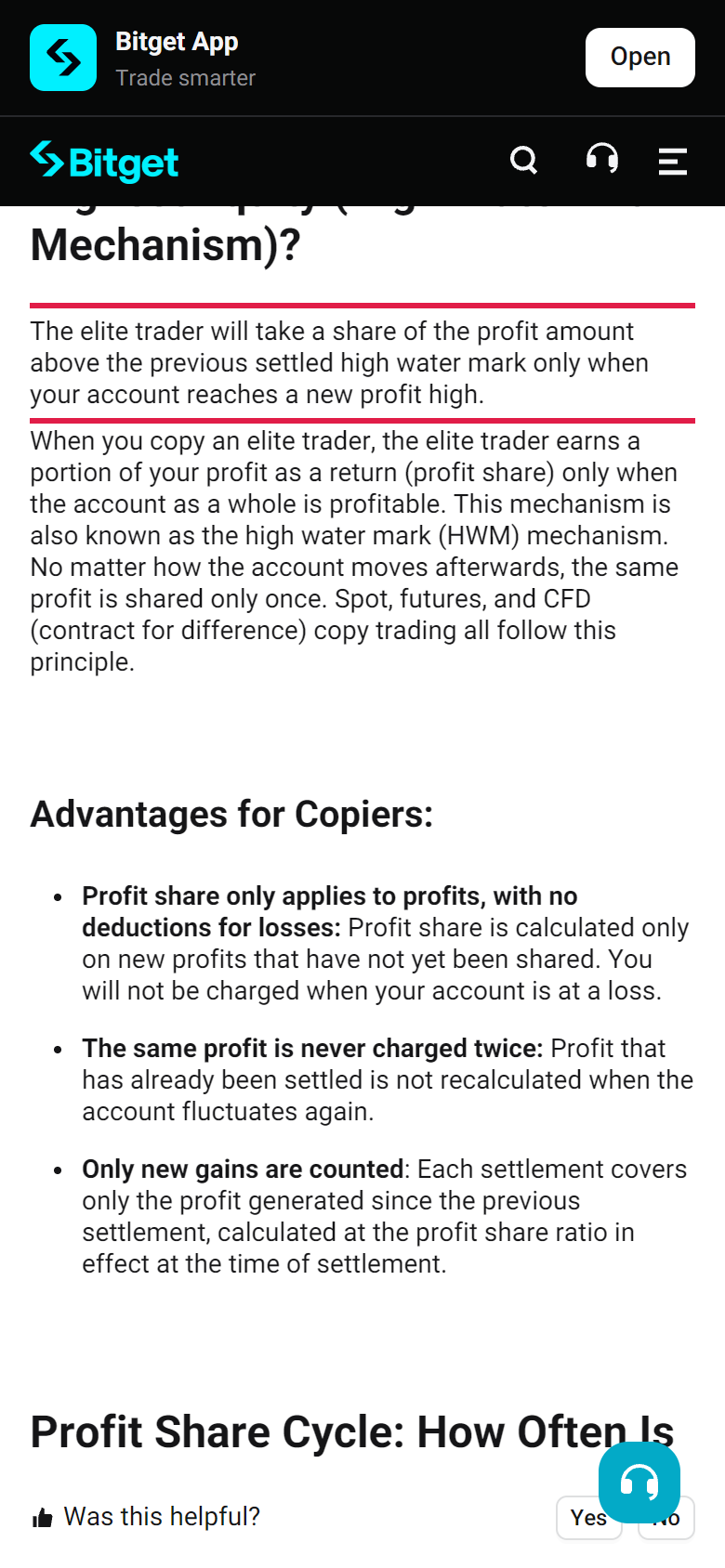
Profit share is charged on new highs only
Bitget calls this the high-water-mark mechanism. The trader takes a share only of profit above the highest point at which profit share was last settled. A losing period is not charged, and when the account recovers to an earlier level, that recovered profit is not charged again. The same rule applies to spot, futures and CFD copy trading. Bitget Support: High-Water-Mark Profit Share Mechanism and Cycle Rules (2026-07-29).
Bitget's formula: profit awaiting settlement = total account PnL since you started copying − profit already shared; if the result is negative it counts as zero. The share payable is that amount × the trader's profit share ratio at the time of settlement.
| Day | Daily PnL | Total PnL | Already shared | Charged on | Ratio | Profit share |
|---|---|---|---|---|---|---|
| 1 | +1,000 | 1,000 | 0 | 1,000 | 10% | 100 |
| 2 | −500 | 500 | 1,000 | 0 | 10% | 0 |
| 3 | +2,000 | 2,500 | 1,000 | 1,500 | 12% | 180 |
| 4 | −1,000 | 1,500 | 2,500 | 0 | 15% | 0 |
| 7 | +500 (after days 5 and 6) | 2,800 | 2,500 | 300 | 15% | 45 |
Figures in USDT from Bitget's own example. Days 5 and 6 (+500 and +300) left the total below 2,500, so nothing was charged.
Two details from that example are worth noting. The ratio can differ from one settlement to the next, because it is the trader's ratio at the time of settlement. And after a drawdown, nothing is charged until the account passes its previous high, which in the example took four days.
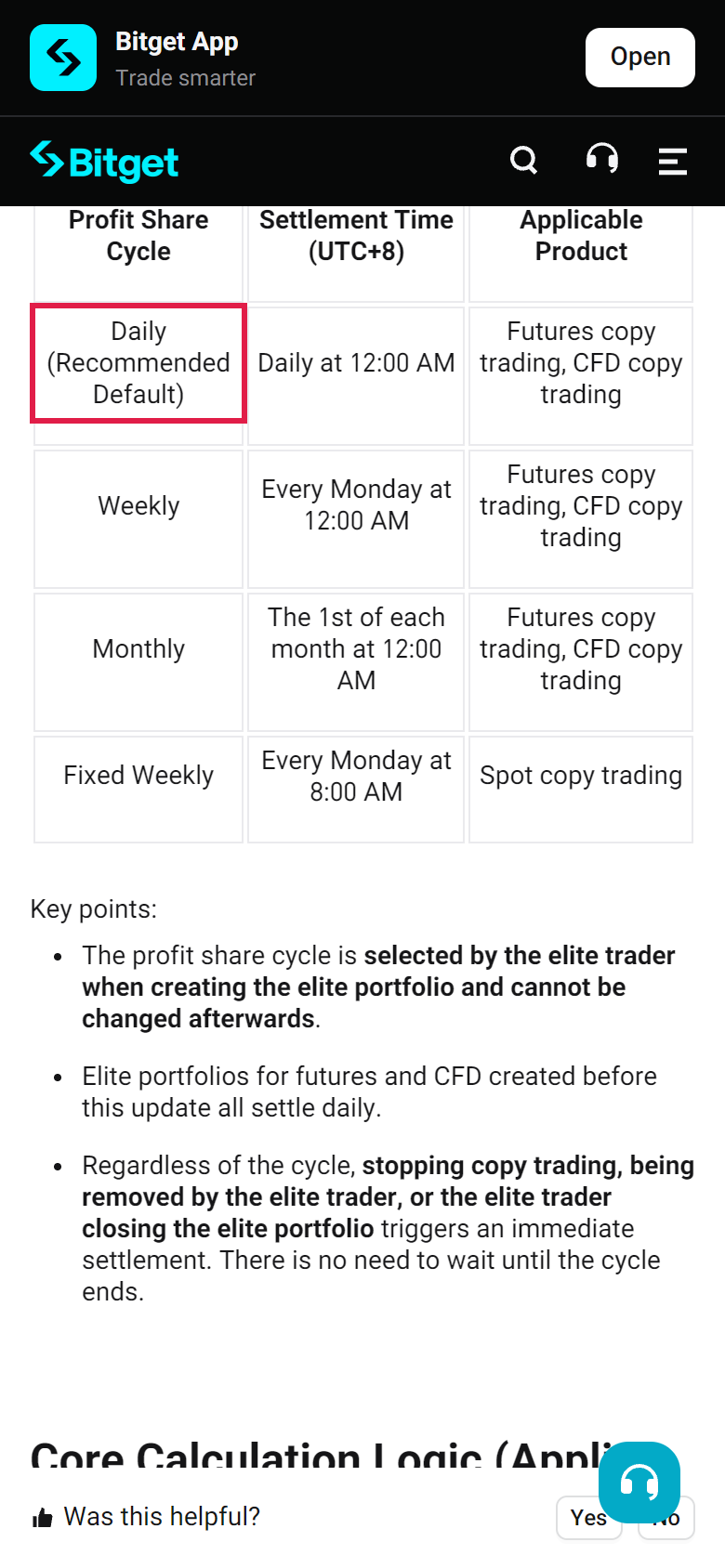
When profit share is settled
| Cycle | Settlement time (UTC+8) | Products |
|---|---|---|
| Daily (default) | Every day at 12:00 AM | Futures and CFD copy trading |
| Weekly | Every Monday at 12:00 AM | Futures and CFD copy trading |
| Monthly | The 1st of each month at 12:00 AM | Futures and CFD copy trading |
| Fixed weekly | Every Monday at 8:00 AM | Spot copy trading |
The trader picks the cycle when creating the portfolio and cannot change it later; portfolios created before the update all settle daily. Whatever the cycle, three events settle immediately: you stop copying, the trader removes you, or the trader closes the portfolio. Bitget notes that the cycle changes only how often the calculation runs, not the formula.
Copy modes and the 50 USDT minimum
Bitget has run several copy trading versions, and the rules that apply depend on which one the trader you copy uses. Its limits article names classic copy trading, Smart Copy, Diverse Follow, and new copy trading with fixed-ratio and fixed-margin settings. Bitget Support: Why Your Futures Copy Trading Order May Be Limited or Not Executed (2026-04-27).
| Mode | How the size of your copy is set |
|---|---|
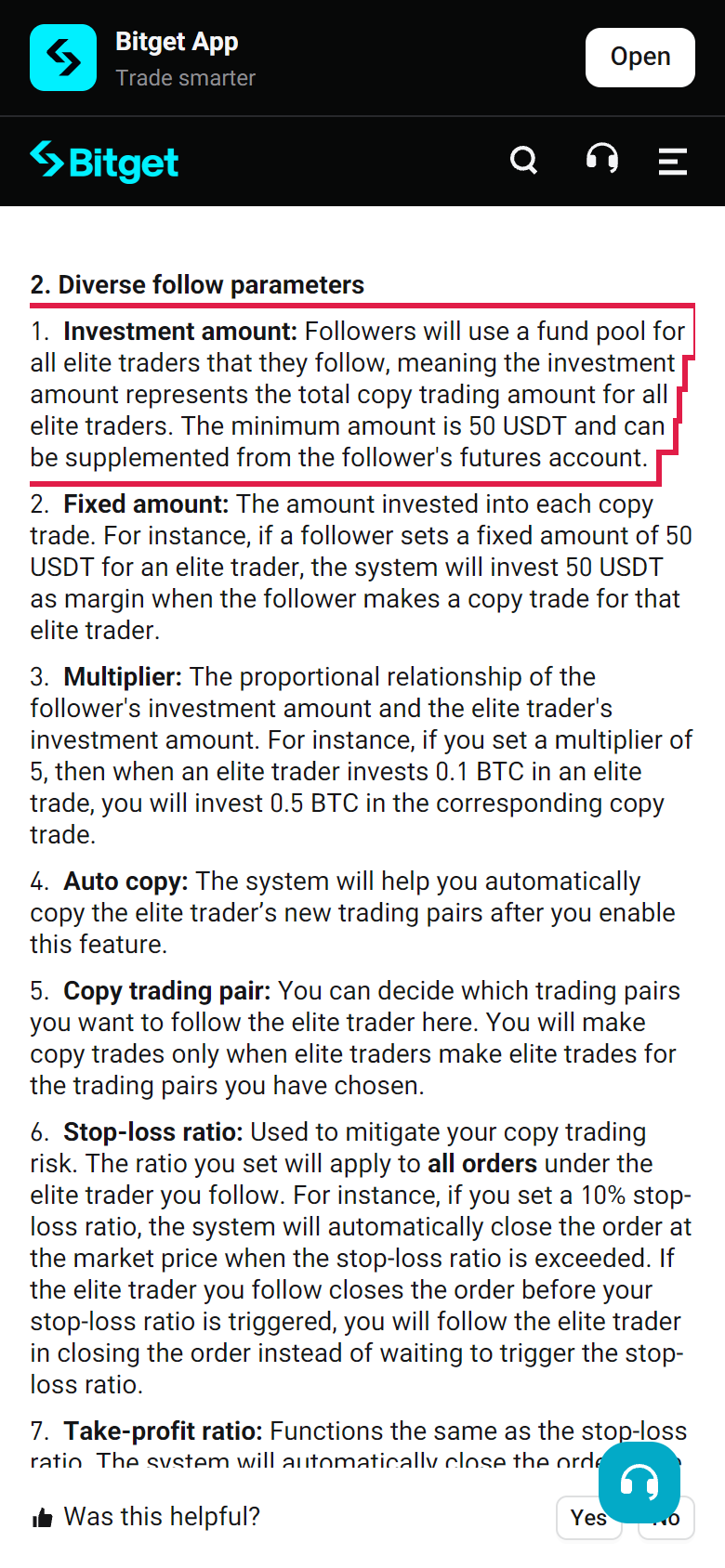
| Diverse follow (classic) | One fund pool for all traders you follow, with a fixed amount per trade or a multiplier of the trader's size. Minimum investment amount 50 USDT. |
| Smart copy | The same share of your funds that the trader uses of theirs: if the trader puts 10% of the account into a trade, 10% of your amount for that trader is used. |
| New copy trading: fixed ratio | A ratio of the trader's position, with an optional maximum margin ratio per copied trade. |
| New copy trading: fixed margin | A fixed margin amount per copied trade. |
Bitget's modes article spells out the trade-off of the classic mode: one pool can follow many traders, but if several of them are wrong at once, the losses land on the same funds. In diverse follow you can also set a take-profit and stop-loss ratio that closes your copy at market price when reached; if the trader closes first, your copy follows the trader. Bitget Support: Comparison of futures copy modes and explanation of parameters (2023-12-14).
Why your copy was smaller than the trader's trade
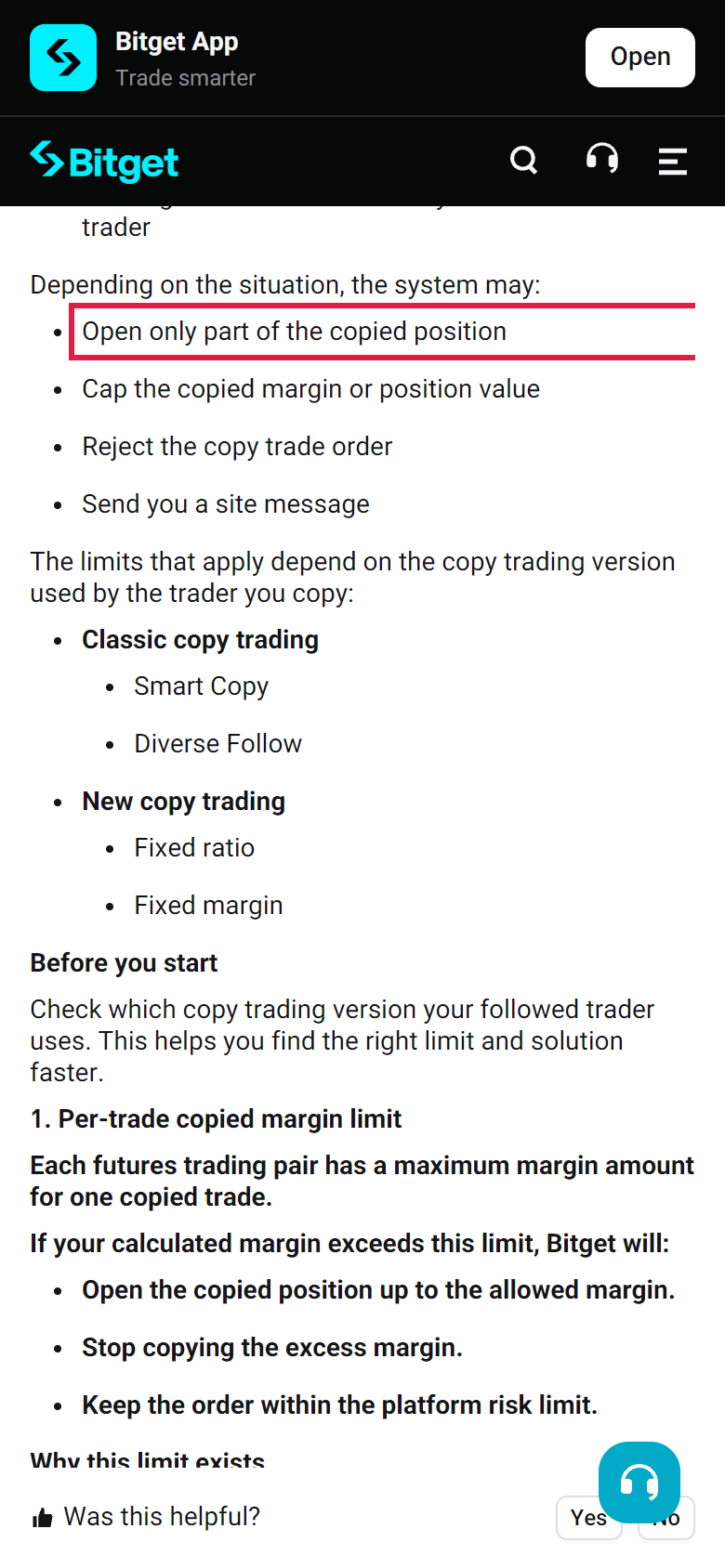
Bitget's article on limited orders is direct: your copied order may not match the trader's size, and the system may open only part of it, cap the margin or position value, reject the order, or send a site message. The limits it lists:
| Limit | What happens | Can you change it? |
|---|---|---|
| Margin per copied trade (classic) | Opened up to the allowed margin for the pair; the excess is not copied | No; set by Bitget per pair |
| Quantity per copied order | Executed up to the maximum quantity; adjusted to order book liquidity | No |
| Position value per copied trade (new copy trading) | Opened up to the allowed value | No |
| Maximum margin ratio per trade (fixed ratio) | Position reduced to your setting | Yes, it is your setting |
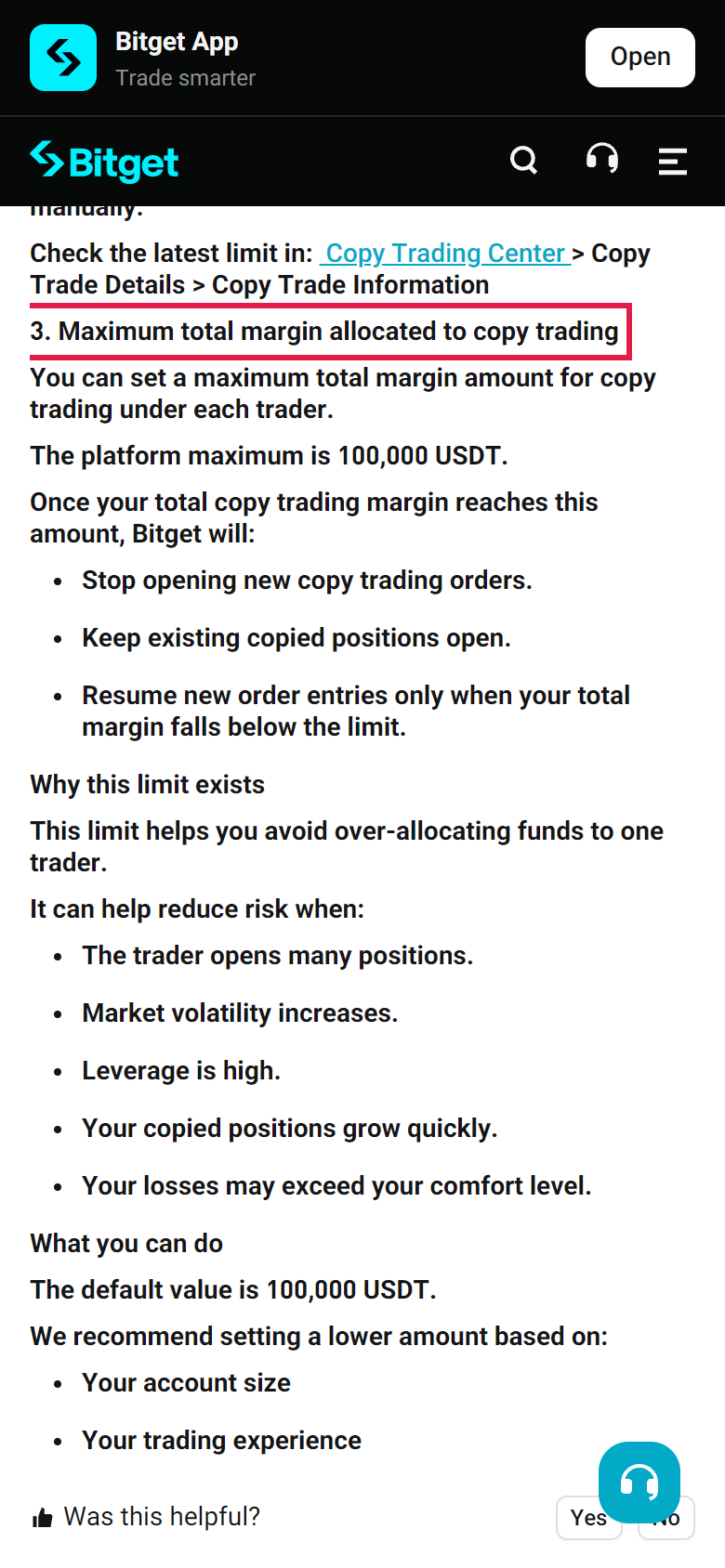
| Total copy margin per trader | No new copies once reached; existing positions stay open | Yes; default and platform maximum 100,000 USDT |
Bitget recommends setting the total margin per trader well below the 100,000 USDT default, based on account size and experience. That one setting is the simplest way to keep a single trader from using most of a futures balance.
Why a trade was not copied at all
Some trades never appear in the copy account. The reasons in Bitget's articles:
- Several positions within two seconds. The followers FAQ says that if the trader opens more than one position within two seconds, followers copy only the first order.
- Your margin cap for that trader is reached. New orders stop until your total margin falls below the cap.
- Risk control rejected it. Bitget lists protection against oversized trades, excessive margin use, high slippage, one-sided liquidation risk, overexposure to one trader, high-frequency activity from the trader and leverage differences.
- The pair is not in your copy list. In diverse follow you choose which pairs to copy; trades in other pairs are skipped unless auto copy is on.
A follower cap is a separate issue: it stops you from starting to follow a trader, not from copying an individual trade. The followers FAQ says holding BGB gives access to an extra 10% of follower slots on traders who are full, or you can set a slot reminder.
To see which limit applied, Bitget points to Copy Trading Center, then Copy Trade Details, then Copy Trade Information.
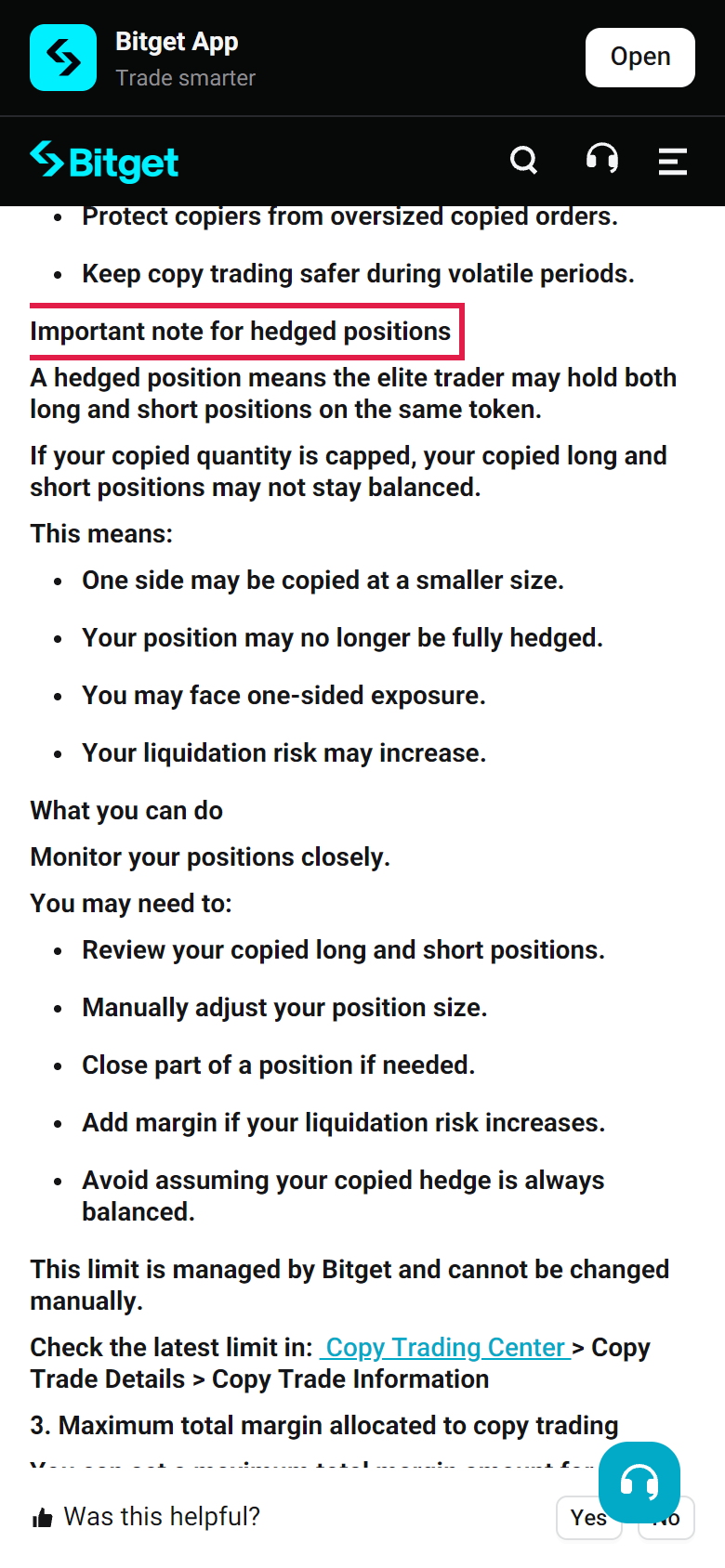
The risk Bitget flags in bold: unbalanced hedges
When the trader holds a long and a short on the same coin, a cap can reduce one side of your copy more than the other. Bitget's warning, in substance: your copied positions may no longer be fully hedged, you may be exposed on one side, and your liquidation risk may rise. It recommends watching those positions and adjusting them by hand, by closing part of a position or adding margin.
The trader's adjustments do not reach you either. The followers FAQ states that if the trader changes the isolated margin on a position, the margin on followers' matching positions is not changed. A copy account can therefore drift from the trader's risk even when every order was copied.
Before you start copying
- Read the trader's profit share ratio and settlement cycle on their page; the cycle cannot change later.
- Set the total margin for that trader far below the 100,000 USDT default.
- Check which copy mode the trader uses, since the limits differ by version.
- Look for hedged trading in the trader's history if you plan to follow with small amounts, because caps hit small and large copies differently.
- Count trading fees and funding on top of the profit share when you compare a trader's displayed return with your own.
A trader's past return is not a forecast, and Bitget's own articles describe copy trading limits as risk controls, not guarantees.
Captures of the Bitget articles
Mobile captures taken on 14 November 2026. The outline marks the passage or table referred to on this page.
Questions
How does Bitget charge for copy trading?
The trader you copy receives a profit share, a percentage of your profit set by the trader. Bitget says it is charged only on profit above the previous settled high, so losses are not charged and the same profit is not charged twice. Normal trading fees and funding also apply to the copied positions.
What is the Bitget copy trading profit share percentage?
Bitget's followers FAQ says futures elite traders at the highest tier can set up to 20% and spot elite traders up to 10%. The rate shown on the trader's page is the one that applies at settlement.
When is profit share settled?
Daily at 12:00 AM (UTC+8) by default for futures and CFD copy trading; the trader can choose weekly or monthly instead when creating the portfolio. Spot settles every Monday at 8:00 AM (UTC+8). Stopping copying settles immediately.
What is the minimum amount for Bitget copy trading?
Bitget's copy modes article gives a minimum investment amount of 50 USDT for diverse follow. A trader can set a higher minimum.
Why was my copy trade smaller than the trader's?
Bitget caps copied orders per trade by margin, quantity or position value for each pair, and in fixed-ratio mode by the margin ratio you set. The excess is not copied.
Why was a trade not copied at all?
Common reasons in Bitget's articles: the trader opened several positions within two seconds and only the first was copied, your total margin for that trader reached your cap, or Bitget's risk controls rejected the order. Bitget may send a site message explaining it.
Can copy trading leave me with a one-sided position?
Yes. If the trader holds both long and short positions and a cap reduces one side of your copy, Bitget warns your copy may no longer be hedged and your liquidation risk can rise.
Where do I see the limits that applied?
Bitget points to Copy Trading Center > Copy Trade Details > Copy Trade Information.
Sources
- Bitget Support: High-Water-Mark Profit Share Mechanism and Cycle Rules (2026-07-29)
- Bitget Support: Why Your Futures Copy Trading Order May Be Limited or Not Executed (2026-04-27)
- Bitget Support: Comparison of futures copy modes and explanation of parameters (2023-12-14)
- Bitget Support: Copy Trading Followers FAQs (2023-11-29)
- Bitget Support: Understanding Bitget's Fees (2025-04-17)
Related on BitQED: Bitget BGB fee discount: the conditions behind the 20%
Opening a Bitget account? The partner code BITGETDC is entered at registration. The sign-up screen showed no benefit tied to it when checked, so none is claimed here.
Partner link: BitQED may earn a commission from Bitget at no extra cost to you.